
Alright, if you’re anything like me you avoid math and anything else that has to do with numbers at all costs…. BUT I have to tell you that I am totally nerdy about crunching the numbers in my biz when it comes to my PROFITS!
I know the numbers can seem scary, but it is NOT #bossbehaviour to avoid your numbers, and to be honest with you if you don’t know your numbers you can’t know your biz.
So, let’s do the MATH so that you know how much you can expect to make…how much you can spend… and how this whole thang comes together.
Ready?
In this live video we’re going to crunch the numbers togetha! Grab your calculator and let’s get nerdy!
Here a few of the things we cover in the video:
“GUESSTIMATING” YOUR NUMBERS (11:23)
In the beginning you need to “GUESS” your numbers until you have gone through the process a few times to get your average numbers, my suggestion is that when you first start out you are extremely conservative with your estimates (so that you have your numbers for the worst case scenario).
CPL (COST PER LEAD)* (11:37)
What is your cost per lead?
Here are some industry standards that you can use to estimate your numbers:
UNDER $3 = Amazing for a webinar registrant
$3-$6 =Good/ Average
$6-$10 = High
*This really depends on your industry
SHOW PERCENTAGE (12:39)
This is where you estimate how many people who registered for your webinar will actually SHOW UP. It is important that you send emails to your list to get them excited for your webinar before the event to keep your show percentage high. Below are some industry standards for show percentages.
20% = Low
30% = Average
35 + % = Ah-mazing!
CLOSING PERCENTAGES (15:39)
Ok now figure out what your closing percentage will be (this is where we make mon-aaayyy).
This number is very dependant on your sales mojo, so it’s important that you get comfortable with selling your offer (you should have no problem because you know it will change the lives of your buyers right?)
This is also dependant on whether you are trying to book calls or buy right away.
The industry standards are:
BUY NOW: 3-10% of registered to buy
BOOK A CALL: 5-20% of registered to book a call
Ready to plug in your numbers???
I’ve added the worksheets I was using in the video below so you can crunch them too!
CTA BUY NOW WORKSHEET – (CRUNCH HERE)
CTA BOOK A CALL WORKSHEET – (CRUNCH HERE)
Once you’ve crunched your numbers send me a pic in our Facebook group!
I wanna know that you’re serious about keeping track of your profits!
]]>

How to Stack Your Offers:
Today we’re talking about the “BIG PICTURE” of your business. Often when you are just starting out you want to do ALL THE THINGS in your business and I hear ya, but you need a strategy, let me explain how…
Your business is like an upside down triangle (1:56)
yep, you read that right, and I’m not talking about any pyramid schemes…. all the different sections of the triangle are different offers within your business. Your least expensive, and lowest barrier offers are the base of your triangle. You should be able to take on more people at a lower price here. As you descend down the funnel your offers will get more expensive and more exclusive, meaning you will take on fewer and fewer people. Keep that in mind when designing your offers.
The greatest barrier and biggest goal is to get people into your funnel (3:42)
This is the goal, attract qualified leads into your triangle! It is much easier to attract people (especially cold leads) into your funnel at a lower price point.
Start with your signature offer (5:05)
What I suggest starting with is ONE LAYER, the sweet spot is your signature offer. Start with this layer and build out the complete funnel. It should be mid-low end so that you can get people into your business model and start making consistent income without needing thousands of people on your email list.
This is the sweet spot (7:05)
This increases your take-rate. Focus on the $300-500 mark.
Once they are on your email list, this is the goal (7:55)
The goal is to continue to move people down your triangle and continue offering them different layers of your triangle! Don’t forget to nurture the leads as they flow through your triangle, not just making offers.
Everything will come together and you can put it all into play (9:54)
Keep the BIG PICTURE in mind, but finish everything for one offer at a time. You don’t have to have all these layers in your business, but if you have tonnes of ideas (I know you do…), this is how you can put them all into play.
Q: Does each layer need a funnel? (10:55)
A: yes, you can have a funnel for every layer of the triangle, but you could also create ONE opt-in that you then funnel to different layers of your funnel.
]]>

We’ve been getting a lot of questions lately about WEBINARS so I wanted to answer them all for you here!
Q 1. Jessie : How do you make sure people are actually engaged in your webinar? (0:52)
A. It’s awesome when people are engaged! Just be sure to set dedicated times to check engagement otherwise it can get distracting. Every 10 minutes or so ask a question and then check engagement. Questions should not be open ended, you can ask for on a scale of 1-10 how…. or a yes or no question. Keep them in line with what you are presenting and what makes the most sense.
Q 2. Julie : What time of the day works well? (2.51)
A. Usually between 1pm and 2pm. I used to do them at 7pm but even though the registrations cost less the afternoon webbys converted better. Test your audience and see what works best for them. Keep track of how many registered, how many showed up and how many purchased. Look for your trends.
Q 3. Adam : How do you choose a good webinar topic? (3:48)
A. It’s similar to a lead magnet. You need to see what you want to coach vs what do your people really want. What do they want solved? You don’t need to solve all their pain points but give them 3-5 good takeaways from the webinar. Ask yourself what is the main thing your audience wants. Then see what the 3 main points are and build your webinar around those topics.
Q 4. Katrina: How many slides are in your webinar? (5:31)
A. I currently have about 160 slides. I have found that when you go fast, engagement stays up. Pretty much every thought has its own slide.
Q 5. Emily : What show percentage should I aim for? (6:22)
A. I like to have my show percentage around 30% but lately it has been lower in the 20% range.
Q 6. Ryan : How do I get my registrants to actually show up for my webinar? (6:58)
A. Very important point, you want to make sure those who HAVE registered Do show up for the webinar. I use an autoresponder email sequence to get them excited about the webinar. I like to create a pre-webinar hype in their inbox every day leading up to the webinar.
Q 7. Julie : What closing percentage should I aim for? (8:58)
A. Industry standards say 3-8% is the normal range. So if you have 100 people register, 30 people show up, 3% are likely to purchase but you could have no sales too. Warm traffic you can get a higher percentage but cold traffic is a lower percentage BUT…it is a great list builder.
Q 8. Chloe : What if I open up q&a if there’s no engagement? (11:08)
A. It can take time doing webinars to get your engagement up. I didn’t do great the first 10 I did but I learned to have some questions ready for the Q and A to answer. This is where the sales happen. Think about what the main objections might be for your audience about why they wouldn’t buy what you are selling and be sure to answer them in the Q and A.
Q 9. Sky : Do you send the replay to everybody who registers? (13:21)
A. If you are just starting out I would send it to everyone who registers. For me, I have stopped sending it to everyone and only to those who showed up because I don’t want people to only register to just get the replay. Make sure to put a time limit on the replay and include the webinar bonus and then remember to take the replay down.
Q 10. Khaled : How do you transition to selling? (14:40)
A. No matter what you want to be sure that the people who showed up for your webinar received value during your presentation. A lot of people on your webinar are waiting for your offer, they know they want your offer. Make sure the value is in the beginning of the webinar and always deliver what you promised. If my webinar is an hour long I transition at the 30 minute mark into my sales portion. I usually have a transition slide and ask a question like “How excited are you about building your own online business on a scale of 1-10?” Then I do a quick recap of what I have said and give them 2 options. They can take the information I just gave them and plug away at it on their own or they can join me and we can work together at building the empire. I’m so excited to announce my new program…
Q 11. Ryan : Do I have to do my webinar live? (19:40)
A. YES. Recorded webinars just do not convert enough. I always like to do mine live because it just works better for my audience.
Q 12. Chloe: Will you show us your webinar funnel at the live Webinar In a Day Intensive? (20:57)
A. Yes you want to get your presentation right, transition right, replays, email sequences. There are so many parts to it and I will be diving into everything in my Webinar One Day Intensive.

Let’s go through a walk through of creating a Facebook Ad in real time!
By no means am I an expert in Facebook ads but what I do know is how to get them to work. I will take you through my process and any questions you have just comment below or in This Brand Means Business Facebook group.
I know as entrepreneurs when you are getting started it can feel overwhelming but just take it one step at a time and let me walk you through this process. After watching this video you will know how to get your Facebook ad up and running.
I have already created the images I want to use and have them ready to go to save time during this live walk through so let’s get started!
Get the step by step process here in this video.
Hack 1 (0:54) Copy and images created ahead of time.
Hack 2 (4:06) Understand the 3 different layers of FB ads (campaign, ad set, ad)
Hack 3 (5:08) Add 2 images to see what converts
Hack 4 (6:33) Install FB Pixel code on thank you page
Hack 5 (7:09) Pixel helper
Hack 6 (11:48) Create custom conversions in FB
Hack 7 (12:21) Power Editor
Hack 8 (12:38) Launch a campaign
Hack 9 (13:47) Create your first targeting group
Hack 10 (16:33) Reach should be around 500,000
Hack 11 (26:04) Duplicate the ad set for other targeting groups
Hack 12 (29:16) Launch
Links mentioned:
How to install Facebook Pixel
]]>
I get so many questions about how I build my sales pages, if I use a designer, leadpages, clickfunnels??
So I’m gonna let you all in on my little secret, yes I use clickfunnels, but the truth to how I make all my sales pages look bangin’ is CANVA. So, I’m letting you behind my screens to show you exactly how I design all the elements of my sales pages with good ol’ canva!
Hack 2: (5:03) Testimonials
Hack 3: (6:00) Backgrounds
Hack 4: (10:15) Visual Stacks
Hack 5: (11:01) Fonts
Hack 6: (12:50) Frames
Hack 7: (13:57) Icons
Hack 8: (14:34) Images
Alright, let’s make it real and get started making your own design elements in Canva. How can you upgrade your current sales page using some of these tips? send me the link to your sales pages in our THIS BRAND MEANS BUSINESS facebook group! #TBMB

Learning Objective: Learn how to gauge the market and anticipate and use trends
Creating content is just the beginning of providing online resources to your ideal subscriber and customer. You also have to make sure it’s content that people want, that you get it in front of them when the time is ripe, and that it’s in the best format to attract your ideal customer or client.
You also want to make sure that you get your fresh content in front of as many of these types of customer and client as possible—while encouraging them to share your content (or news of it).
“Content” is one of those vague words, used because it can describe so much of what you offer such as articles, blog posts, social posts, products, packages, multi-media and programs are the content types you are most likely creating (or looking to create) as a business coach.
Most of these categories can be broken down even further. For example, “multimedia” is a broad term that can encompass videos, podcasts, .MP3 files, slide shows, PowerPoint presentations, photos, art collages and more.
“Programs” can encompass membership groups, VIP clubs, self-study courses, webinar courses, online courses, group coaching program, accelerator programs, in-person courses run locally, and “Challenges” (30-day or otherwise); just to mention a few of the most popular types of programs currently.
In fact, we could loosely define “content” as resources you create for your ideal follower.
No matter what medium you use to create your content with, however, you need to be ready to deliver two basic types of content: Evergreen and trending.
Step one: Understanding what is always in season
“Evergreen” content is information they will always need, no matter what is trending in their field or industry or what is in season.
For example, “Best Business Practices” is a topic that is evergreen; “Ten Easter Recipes” is not. The latter relates to a specific season—Easter; and while you can re-use the same content next Easter, it’s not evergreen—it’s seasonal.
“How to Attract New Clients” is always evergreen; “3D Printing for Business” is going to be outdated in ten years, as new technologies replace it. (Perhaps even in one year!)
Think of your digital content as a buffet. The best buffets are always balanced, with a good mix of dishes, appetizers and desserts—and if you stick to a theme (e.g. “Hawaiian Night”) they’ll work even better together.
That’s what you have to do with your own content—create a mix of trending, up-to-the-minute products and programs; and evergreen products people can help themselves to and purchase, twenty-four-seven, three hundred and sixty-five days a year.
So make a list of what you already have to sell that is current and fresh … and what people will want ten years from now, as badly as they want it today.
And if you don’t have a balanced table-full (or even plate-full) of evergreen and trending dishes—create one! Make a list and brainstorm what you can offer that:
- Will always be a valuable resource for your people
- Is exciting and new—and relevant to their businesses and lifestyles
It is a great idea to create a product that is both evergreen and current. That is, when the trend is over, the basic information will still be needed.
How to Find New Trends:
Your best way to find what is brand new or currently trending in your industry is fortunately very simple. It doesn’t involve hiring research companies or data analysts. It doesn’t involve hiring someone to monitor every platform or influencer, full-time.
This is what you do:
- Identify three to six top platforms or companies that your ideal subscriber regularly uses. Follow their official blogs.
- Identify three to six top influencers that provide news of changes and new trends your industry. Follow them on the platform where they are most active.
- Get in the habit of:
- Always reading their emails straight away
- Scheduling in twenty minutes to check out what’s new with them every day
- Make notes, do your own research—and present your findings to your audience
You’ll also find that most times, it takes less than twenty minutes a day to see what’s new with them. Only when big changes are coming down the pipe will you see more posts and more news.
And use an aggregator app to get all your news and posts in one place!
(If you are a business coach, be sure to keep an eye on LinkedIn Pulse feeds too!)
One final source of what’s trending: Check out documentaries on television and headline articles on your local grocery-store magazine racks. If you see a topic repeated multiple times, you can bet it’s a hot topic—but also remember that print magazines and television documentaries have a minimum of a three-month lead-in time—so don’t delay. Start focusing on the hot trend immediately, if you think you can add something exciting to it.
Step two: Increase your chances of making the sale
You’ve gone to all that trouble of making the sale: Now make sure you are missing no opportunity to share the news with the right people. This doesn’t mean bombarding
people with duplicate, repeat messages, over and over again: It means use a simple checklist to make sure that you haven’t forgotten to make the most of every spot where you can naturally insert a call-to-action.
Note that word “naturally”: People shouldn’t feel bombarded by the same marketing message over and over—but what you do want to provide is more than one link to your article, video, podcast, program or product whenever you talk about it.
- If you’re talking about a product or site in a video on YouTube, share the link just as you talk about it, within the video (in a clickable annotation) … and remember to repeat it at the end of the video
- If you’re presenting a link via an email, put it in more than one place (the middle and in a P.S., for example)
- If you’re putting a link to a video or landing page under your name in a signature, preface the link with a line to attract and intrigue (a call-to-action)
- If you’re writing about something you want people to check out through a link, include a video or photograph to catch their attention visually as well as textually
- If you’re posting on a social network, re-purpose your post and tweak it for at least two other social networks
No matter where you share your information:
- Ask people to keep on sharing it
- Give them a reason why their friends will thank them for doing this
- Make sure you have also set up sharing buttons and icons on your post or post page
Always be on the lookout for natural opportunities where you’ve missed asking people to take action (click, share, check out, etc.) But most of all—without fail—concentrate on your email list. Don’t get so swept up in social sharing or blogging that you forget to write to your list: These are the people who have already made an emotional commitment to you, when they signed up for your list (how big a commitment, only you can gauge)—which means they are the ones most likely to read your emails—and share.
There’s one key point to remember, however: In your emails, you need to actually ask them to share the news in your email—spell it out for them that you would like them to do so. (Unless you expressly go ahead and tell them to share a specific email’s content, many people will assume it’s private and not share.)
Whenever you send people to a link, do make sure there is a prominent sign-up web form and incentive visible, so you can kill two birds with one stone. (For example, if the visitor isn’t interested in that particular offer, perhaps she’ll sign up for your free incentive—just to check out your content, if she doesn’t yet know you.)
Step three: How to STRIKE THE PERFECT SALES BALANCE
There are two killers to growing your list: Making your emails all about selling, selling, selling—and being afraid to mention selling at all.
The people who clobber you over the head with selling, selling, selling are usually not interested in long-term relationship building, but with making an immediate sale. You will far more likely err on the side of being afraid to mention selling at all, since as a coach, relationship-building is your life-blood.
What this usually translates to are stilted call-to-action phrases, and timid sales letters—a deadly combination—but you can get over this and write powerful letters containing offer links if you shift your focus from “selling” to “helping my subscriber”. If you ground yourself in this mindset, the tone of your letters will shift—but there are specific actions you can take to help make yourself feel better about the whole sales topic.
Follow this three-step formula in your email:
- Summarize the single most important truth of your email
- Lead into the link with a promised key benefit
- Use positive calls-to-action that promise a result
Remember that your email copy has to appeal to your reader’s emotions. You want her to feel at least one of these things:
- You are describing her problem exactly (pain point)
- You are talking about where she wants to be/how she wants to see herself (identity and self-image)
- She identifies with you/the story you are telling (empathy)
- She sees herself with a chance at succeeding in whatever you are talking about (dream fulfillment)
What makes someone open an email—even if she would vigorously deny any feelings connect with the reason she opened it?
It’s always about emotion. Remember that, and you’ll talk from the heart!
Step Four: How to make people excited about your message
What excites you about your post? Your new product? Your upcoming webinar? Why does it excite you? What are you most looking forward to sharing with your subscribers? Before you send an email out about anything, ask yourself these questions; then write from that feeling of enjoyment, anticipation, satisfaction, pleasure—whatever positive emotion you are experiencing.
Think about what the information is going to mean to them. Then isolate the single, most important point of your whole email. Put that in your subject line … and repeat it right after your opening hook, just before a link to your item.
Add Social Validity to your Emails:
Another tactic you can use, if you still feel awkward about “selling”: Including in your email up to three quotes from three favorable reviews of what you want to promote.
The beauty of this tactic lies in the fact that you’re not the one trying to “sell”: You’re letting happy purchasers speak for themselves.
There is nothing like proof of success to get people excited, as they realize that success is possible for them too.
Step five: How to MAKE IT EASY FOR YOURSELF TOO!
Of course, there’s an even easier way to make sure that whatever you create and present is current and fresh, and easy to say “yes” to: Or evergreen but equally fresh, in that updated material is added to give old topics a fresh take and valuable tips and tactics.
Whatever you create, however, just make sure you do provide a deliberate mix of both the currently trending and evergreen content.
Don’t neglect evergreen content: Unlike trending material, that is what keeps selling every day, year after year—and keeps making you

Does coming up with new content for your website keep falling to the bottom of your to-do list?
Even though I know I have the solution to my target client’s greatest problems and want to share the BEST blogs to help them… sometimes writer’s block just says otherwise.
And sometimes I just run out of time or don’t feel like writing… but that’s another story.
I combat writer’s block by saving posts that inspire me and keeping a running list of working topics as they come into my thoughts.
Basically, I brain dump into a “blog” folder on my Google Drive.
And it works!
Looking through my Google Drive of blog topic inspiration gives me the kick in the butt to start writing.
And when I really feel like going for the gold, I ORGANIZE my topics into a SPREADSHEET!
Yes, in my Google Drive 
So if you have a hefty “blog” file on your Drive, or if you just need help coming up with a few blog posts to share with your readers, this list is for YOU.
10 BLOG POST IDEAS TO GET THEM TALKING

DO A HOW-TO
Click To Read: My Online Fitness Blueprint
If you’re reading this, you’re probably pretty good at what you do and want to share it. Break down a complex process into a “how to” post with a series of easy-to-follow steps and images.
Want even more? Maximize your blog schedule by breaking this down into a series from how to get started to how to overcome common changes.

TOUCH ON TRENDS
Click To Read: Big Brand Inspiration
Listen closely: the internet does not need ANOTHER article about the latest trending topic. Don’t waste your time trying to reinvent the wheel in 2016.
But… what your audience DOES need is a post about the latest trending topic and how it relates to THEM. If the latest Facebook algorithm or SEO change affects your readers, write about it and add value in a way that only you can.

GO DEEPER

Click To Read: 11 Random Facts About Me
Sure, most websites have a decent “About” page. But don’t we always want to know MORE? Share your quirks and random facts in a personal blog post.
For another take, share more about how you got to where you are today or where you are headed in the future.
This gives your readers a better look into who you are— and assures them that, yes, you are human!

TAKE ON FAQ’S

Click To Read: How to Build a Website that Attracts your Dream Clients
If the same questions keep coming up time and again, it’s time to throw them into a post!
Share the questions and take the space to answer them in full. If the questions/answers are big enough, break them into a few posts.
Bonus: if the questions come up again, you can always link the inquiring person back to your blog.

BARE YOUR BANK ACCOUNT
Click To Read: $110,505 in 19 Days (And I couldn’t even talk about it)
One of the biggest post ideas on this list requires baring some pretty personal numbers.
Talking about financial success in your business is super personal. But sharing your successes also builds your credibility. If you’re a coach and trying to build a team, putting the numbers out there encourages newcomers to the field that success really IS possible!

FEATURE CLIENTS

Click To Read: Get the most out of your Client Testimonials
Everyone loves getting a little internet lovin’. Feature a client who has realized success, created something big or something else noteworthy. This can be as simple as a get-to-know post to a full-on case study!
A client feature can get a little personal, so don’t forget to check with them first 

WRITE A LIST
Click To Read: Why You Should Start Building Your Email List
AHEM. Notice the title of this post?
Build a list from the most helpful resources that your audience can tap into. Don’t forget to make it super easy for your reader and hyperlink every one! Just sayin’.

SHARE A CHECKLIST

Click To Read: 11 Steps to Creating a Powerful Personal Brand
Break down complex directions into an easy-to-follow checklist. This post format can be actionable tools to follow your how-to posts.
Remember to add enough spacing so it’s easy to read and follow along. Checklist posts are easy to write, read and share!

SHARE RESEARCH

Click To Read: Mastering Later: How to be a Boss on Instagram.
Have you recently dug into a topic? Like… real deep?
Thanks to Google, it’s easy to spend hours digging into statistics that others would kill to get their hands on.
Make double use of those lengthy notes and share your findings in a blog post. Don’t forget to credit your sources, too!

TALK ABOUT TOOLS
Click To Read: How to Add an Email Signup Box In Your Blog Posts with PopupAlly
Do you have a go-to product, tool or service that has made your life or business easier? Sharing is caring!!
Dig into what’s rocking your world— and don’t forget to dish on the who, where, why and HOW of it too.
What entrepreneurial post ideas would you add to this list?
GET MORE STEPHANIE JOANNE HERE:
Stephanie Joanne on Facebook // This Brand Means Business
]]>
Like exercise needs a solid diet, your email list needs LeadPages.
Working out like crazy isn’t going to do much if you keep eating donuts and cheeseburgers. And writing the best content isn’t going to do much if you’re just sending it to your mom.
Luckily, capturing new leads is even easier than meal planning, especially with the right tools.
I know, I know…you’ve already got WordPress, AWeber and a whole bunch of other things set up. How many tools does one person need?!
But if you’re serious about growing your empire and email is a part of that, you want LeadPages working for you. I use LeadPages in my own biz and the results are so worth it!
Why LeadPages?
The thing about LeadPages is that it works together with the other tools to help you attract more people and get those people to become part of your constantly growing list of subscribers. Plus, its super easy to use, so you can add things to your site that might be too complex or time consuming to do all on your own.
LeadPages helps you make AWESOME landing, webinar and sales pages that make people WANT to give you their email address.
It’s is LOADED with features, so I’m breaking down the few that you should start with to grow your empire online.
Here are just a few things you can use LeadPages for to get those email addresses!
Build a Landing Page That Gets People to Opt In
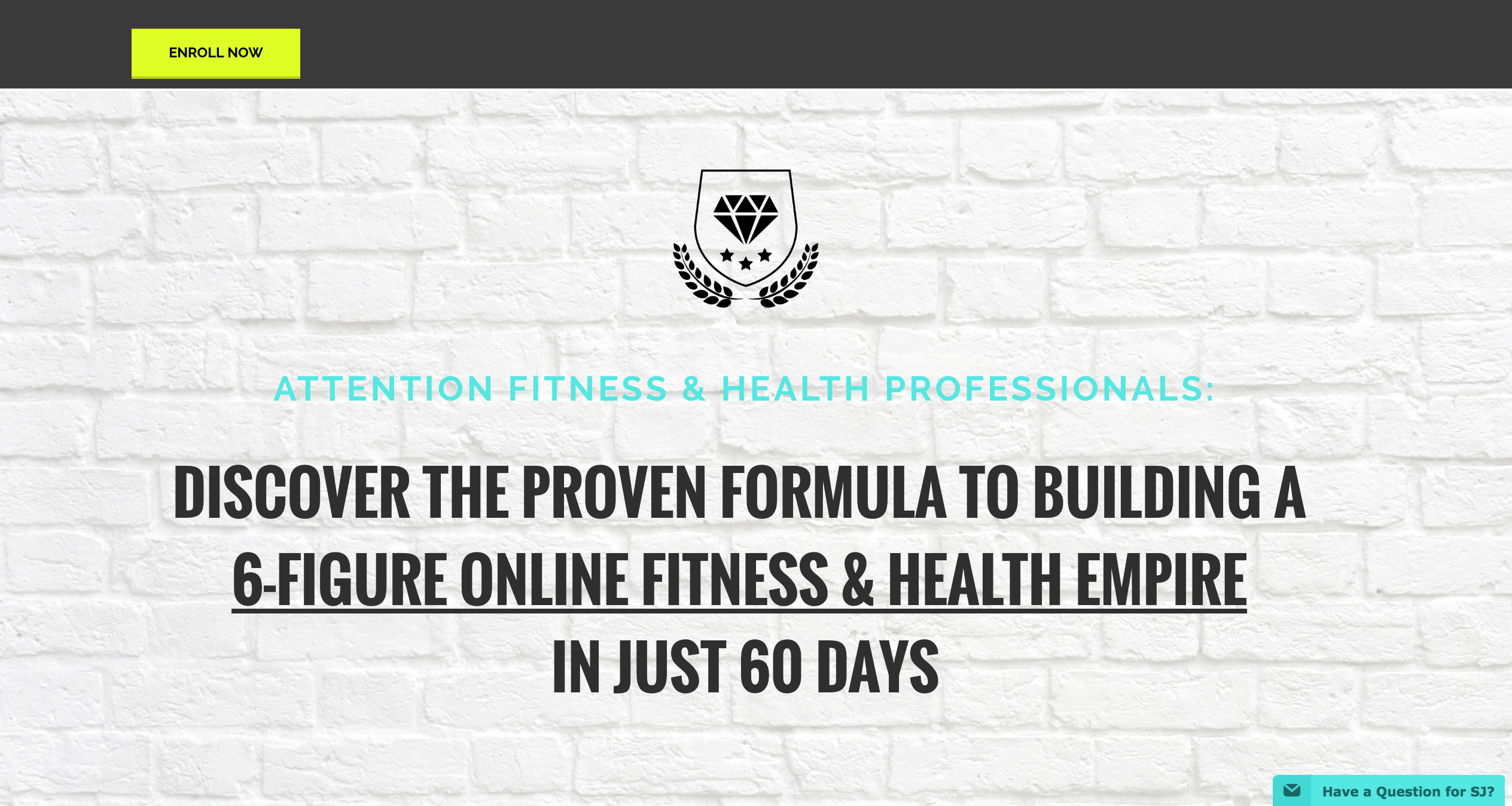
For a single page product, landing pages can be REALLY hard to build.
If you don’t know how to code, or aren’t a wizard at your CMS, even a simple landing page that gets people to opt in can be hard to put together.
LeadPages has a LOT of customizable templates that you can use to make a landing page that includes an opt in feature.
Share it everywhere and watch the subscriber list grow. Simple as that.
I create the opt in page for all my webinars using LeadPages, that look great and take me no time at all!
Host a Webinar That Doesn’t Cost You a Fortune
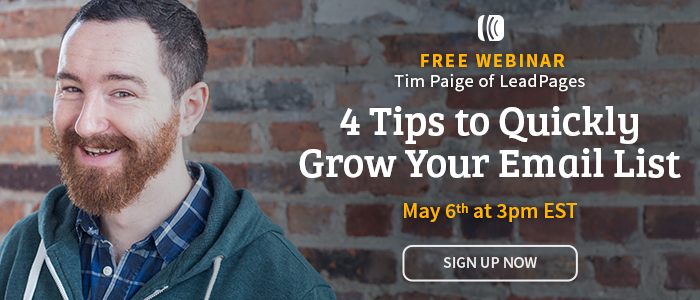
Hosting a professional-looking webinar can help you establish credibility in your field and gives your followers a valuable takeaway— and hopefully an irresistible call to action.
But they can get expensive!
Most webinar platforms have a monthly fee, but what if you just want to try one out before you commit to doing them regularly?
LeadPages has a template for that. Use a free platform like Google Hangouts or YouTube Live, embed it into the template they provide, turn your camera on and get webinarin’.
Give More Stuff Away For Free (Yes, This Is a Good Thing)
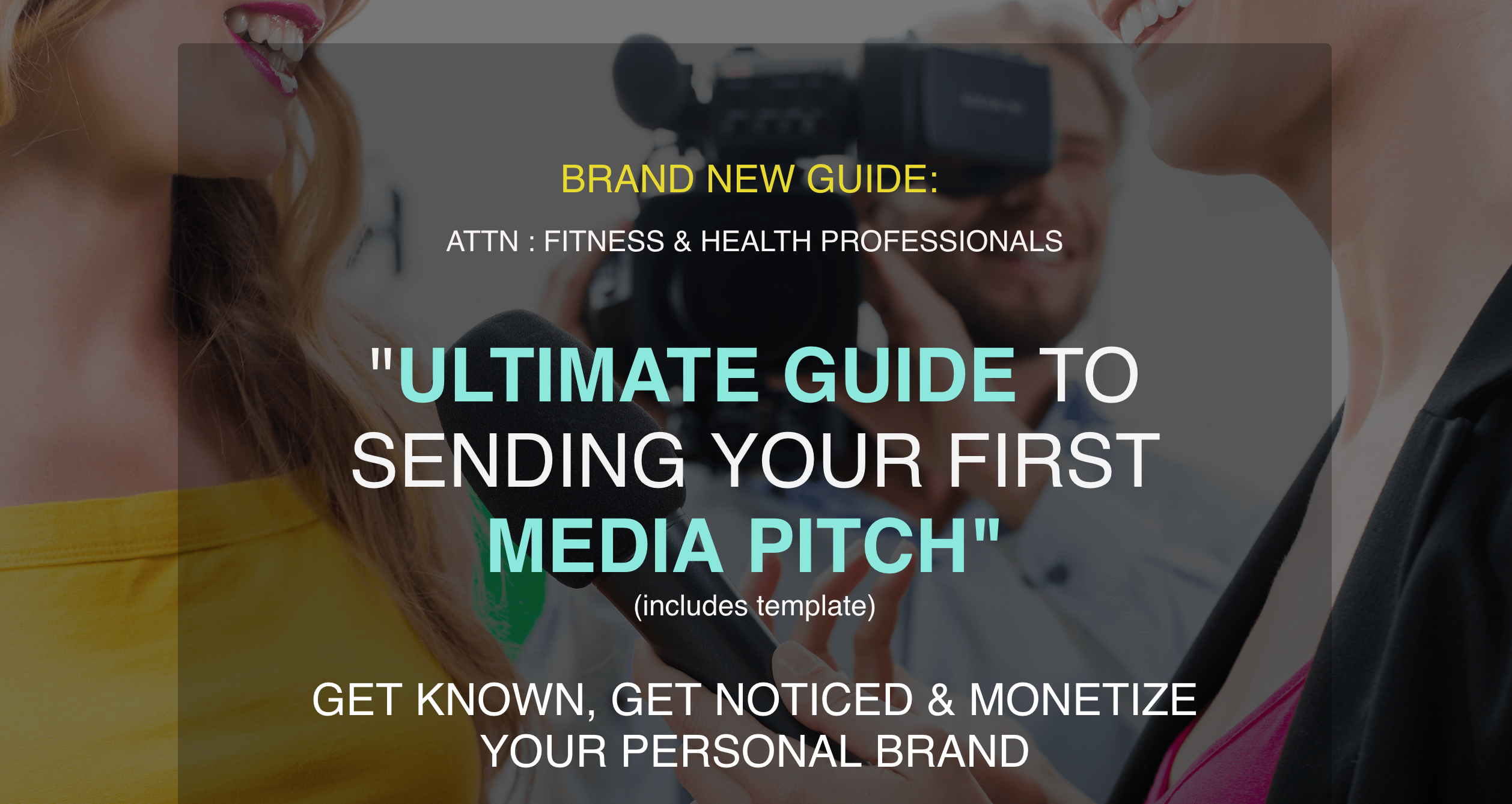
If you have invested time into creating a free asset to share with subscribers (think e-book, checklist or template), LeadPages helps you share it with even more people.
Set up a LeadBox in LeadPages, upload your free goodies, and bam…all new subscribers will receive the product in their inboxes right away. They’ll be extra impressed that you’re giving them something for nothing so fast, and you’ll spend less time and money sending your items to the people who want them.
Get People To Opt In Without Distracting Them From Your Content
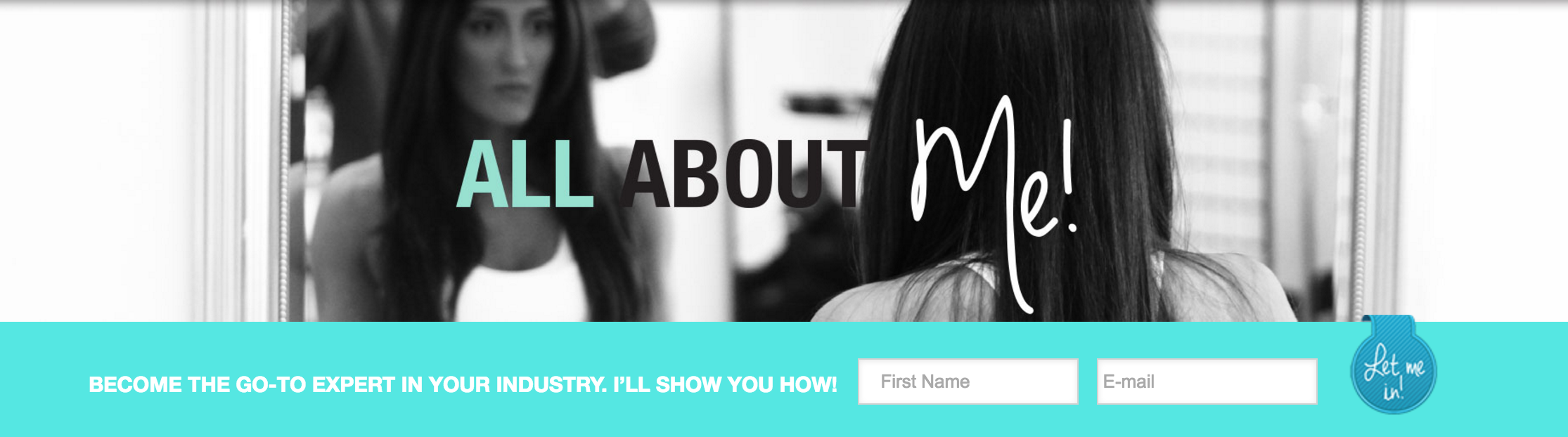
I’m going to let you in on a pet peeve of mine.
I’m reading an article, engaged in the content. I notice an opt-in box, add my email address… and am quickly rerouted away from the page I was on to a lousy thank you page!
LeadPages has an opt in box that you can insert in a blog post to let people subscribe without taking them away from the post they are reading and interrupting their good time.
It’s streamlined, easy and simple. What more could you want?
I’ve also made a Behind The Screens video talking you through my favourite perks of Leadpages & how I use it. Check it out.
Have you found more awesome features in LeadPages I need to know about? Share them with me and let me know when you try out the ones I’ve listed here.
GET MORE STEPHANIE JOANNE HERE:
Stephanie Joanne on Facebook // This Brand Means Business
]]>

You can’t get away with charging top dollar for your youtube videos or “ebooks”. Its pretty obvious that there is enough free content online now.
Not only is this free content readily available everywhere, its actually really good content.
Answers to everything and anything are literally a quick Google away.
Personally, I love to Pinterest and it always blows my mind when I see the most incredible value packed infographics and articles that leave me thinking “I can’t believe I’m not paying for this!”
What does this mean for YOU and your brand/business?
First it is important to know that what is DOES NOT mean is that sharing your information and expertise online is useless given all the others already doing it at such high levels.
What is DOES mean is your audience (and potential clients) are looking for more. They want more accountability, they want someone (YOU) to actually work with them, more coaching, more help, more VALUE!
It’s one thing to get everything you are looking to do for free on the internet. But how annoying is it to youtube and pinterest your heart out?
People want to work with people. They want to be told what to do and they want a coach to show them the way.
This is exactly why higher value online coaching and coaching programs are killing it right now (and I highly doubt they are going anywhere anytime soon).
If you have been considering creating your own online course, then here’s a virtual high-five from me.
My signature Build Your Fitness & Health Empire program is a high-value online course and its been a game changer in my business
All of my courses are, and in this post, I would like to share with you the tools I use in order to create my killer online programs and deliver it to my clients in the best way possible.
#1 Webcam
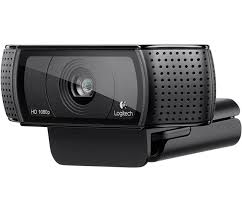
If you are going to produce some how to videos or do webinars you are going to want to invest in a good quality webcam. Most computers come with a built in webcam but they are poor quality. You want something like the Logitech C920 1080p model which is great quality, uses a USB port to run, and is super easy to get started using…right now!
#2 Snagit

I do a LOT of screen captures explaining how to do something techy in my program, so I need something very easy to use. I have tried several, but Snagit seems to be the best one I have found. I can simply click a button to take a screen picture or I can click a button to screen capture a video.
I can also select the portion of the screen that I would like to capture rather than the whole screen.
Using the Print Screen button on my keyboard also starts up this program so I can take a quick picture of what I am looking at on my screen and then use this picture to explain how to do something to one of my clients!
#3 Blue Microphones Snowball

If you are going to be speaking than people need to be able to understand what you are saying CLEARLY so a great microphone is a MUST! I like the Blue Microphone Snowball. It has amazing studio quality sound and is a USB plug n play.
#4 Canva
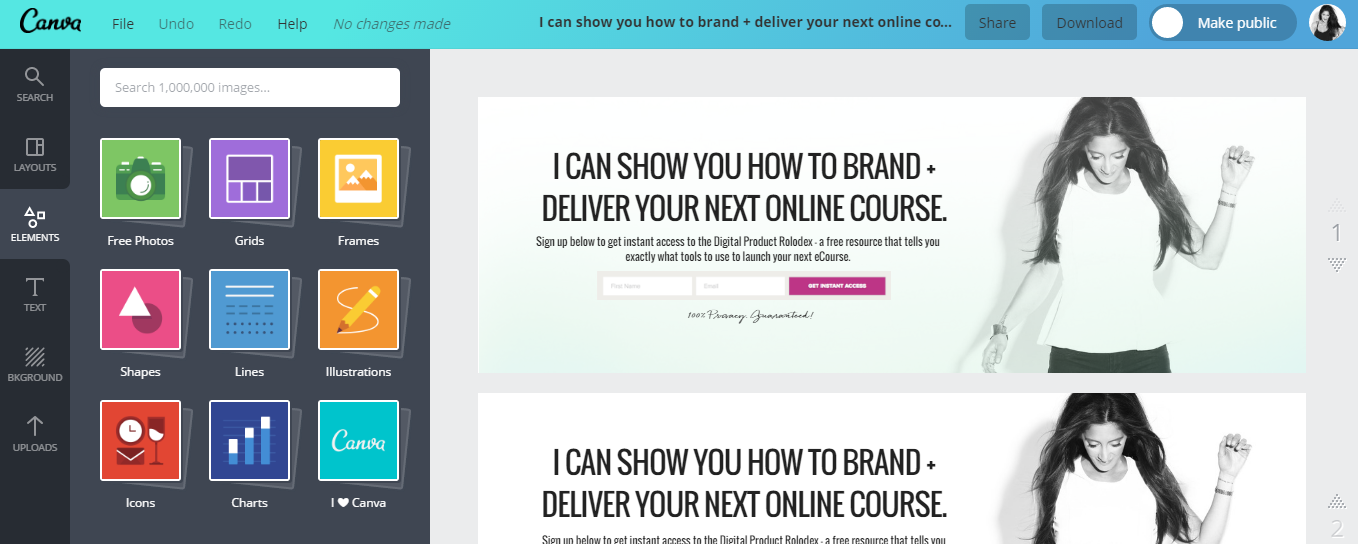
Who doesn’t love CANVA!!! I can spend hours in here creating my program graphics for my Facebook Ads, program content, pdf downloads, you name it! Hiring a graphic designer can get SUPER expensive…so being able to do most of your own designs yourself will save you lots of mulahhh and you will look like a PRO
#5 Clickfunnels (Page Builder + Course Hosting)

You have a course created…Now where do you put it??? When creating something amazing you need to put it somewhere amazing. I like Clickfunnels to host my online course because it has great functionality and integrates with other software programs I am using.
#6 Aweber
You will need an email service provider.
Here’s the thing, personally I am using a pretty robust system called Infusionsoft. BUT I have listed Aweber here because I do not want you to start with Infusionsoft if/when you are just getting started (its expensive and really clunky with all the bells and whistles you will likely not need to use for a while).
Aweber is a much better option. It is cost effective and it will have all the functionality you need to get going.
This is the software you will use to automate your email sequences while enrolling new leads into your sales funnel.
#7 Clickfunnels (Lead Generation)
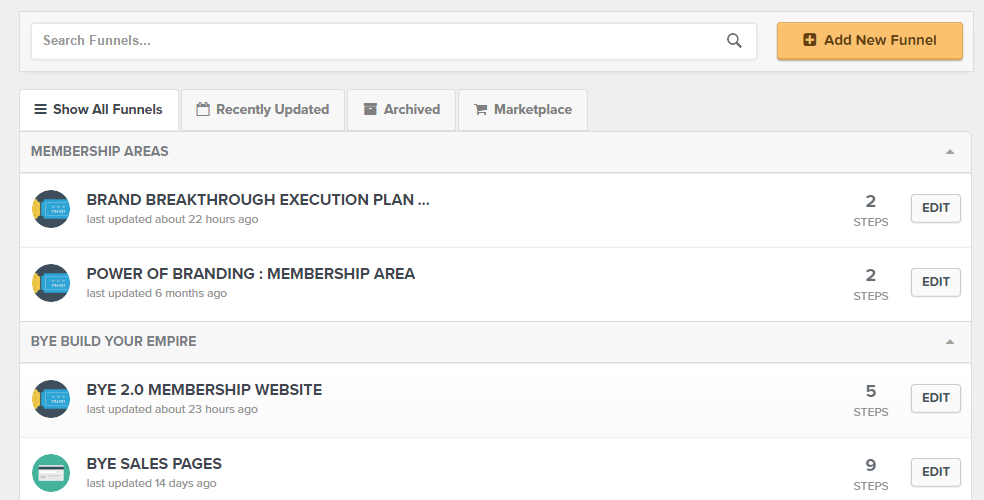
In order to get your leads into a funnel so you can sell to them, you will need lead generation software. Again, I recommend Clickfunnels as it ties everything together nicely.
#8 Gotowebinar

The first thing I do when planning a webinar is book it into Gotowebinar. This software is easy to use and people can dial in easily on their phone or on their computer and listen in.
The software easily integrates with my other software choices and it sends reminder emails to those who pre-register for my webinars. All they need is the meeting ID it generates and when it’s go time…they use it to get in!
#9 Payment Processor
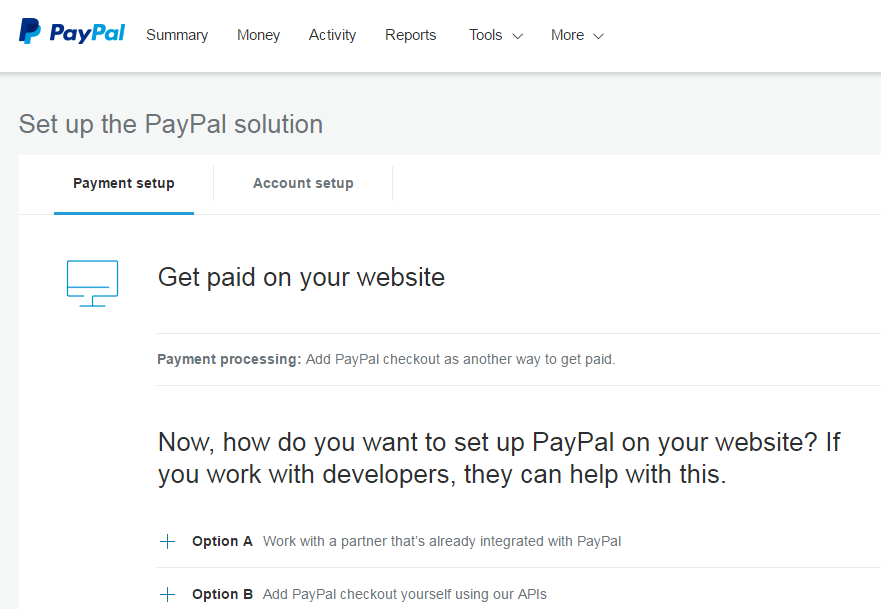
When setting up your online business, of course you want to get paid! Keep it simple! Stripe and paypal are easy options to get set up with fast. If you need help getting them integrated into your website, you can always get a developer to help you if needed.
#10 Slack


Slack is a great communication tool within your business. You can communicate with anyone, anywhere, anytime! Need something? Why wait for an email to come back, get a response right away. Lots of other programs, such as dropbox can be integrated into the easy to use software as well.
#11 Facebook ads account
Facebook ads is a great way to get people to register early for your upcoming webinar. You can target exactly who you would think would be interested, pick demographic, all sorts of criteria. It costs money but is fairly reasonable depending on what you want as an outcome.
Let’s get real for a second.
Your email list IS your business.
Your email list is THE tool to build your empire— from growing your tribe to creating interest for your launches.
To really get the most out of your efforts, you have to continually GROW your list of subscribers.
Adding new people to your list, nurturing a value-based relationship and eventually selling to them is SO MUCH more important than how many people follow you on Instagram or even how many people you work with in-person on a daily basis.
Ok, ok I know what you’re thinking: more things for me to do? I’ll get on that as soon as I have time. AKA never.
I’ve tested both little and BIG things to grow my email list throughout my business. The light at the end of the tunnel is that you don’t have to do everything and you don’t have to reinvest all of your income to see your number of subscribers continually climb high.
Building your email list can actually be easy if you implement a few strategic hacks.
If people already visiting your website, most of the hard work is already done. They’re already taking time out to check you out.
If they like what they see, you can make it easy for them to see more.
Here are some super tested, effective and EASY easy ways to grow your mailing list in your spare time.
1. STRONG LANDING PAGES
A landing page is a page that only has one objective in mind: to get people to do something.
Landing pages should be visually stimulating with a bold call to action. Your landing page can simply ask if visitors want to join your mailing list, or it can offer a piece of content in exchange for the visitor entering their email address.
2. STOP THEM AT THE GATE
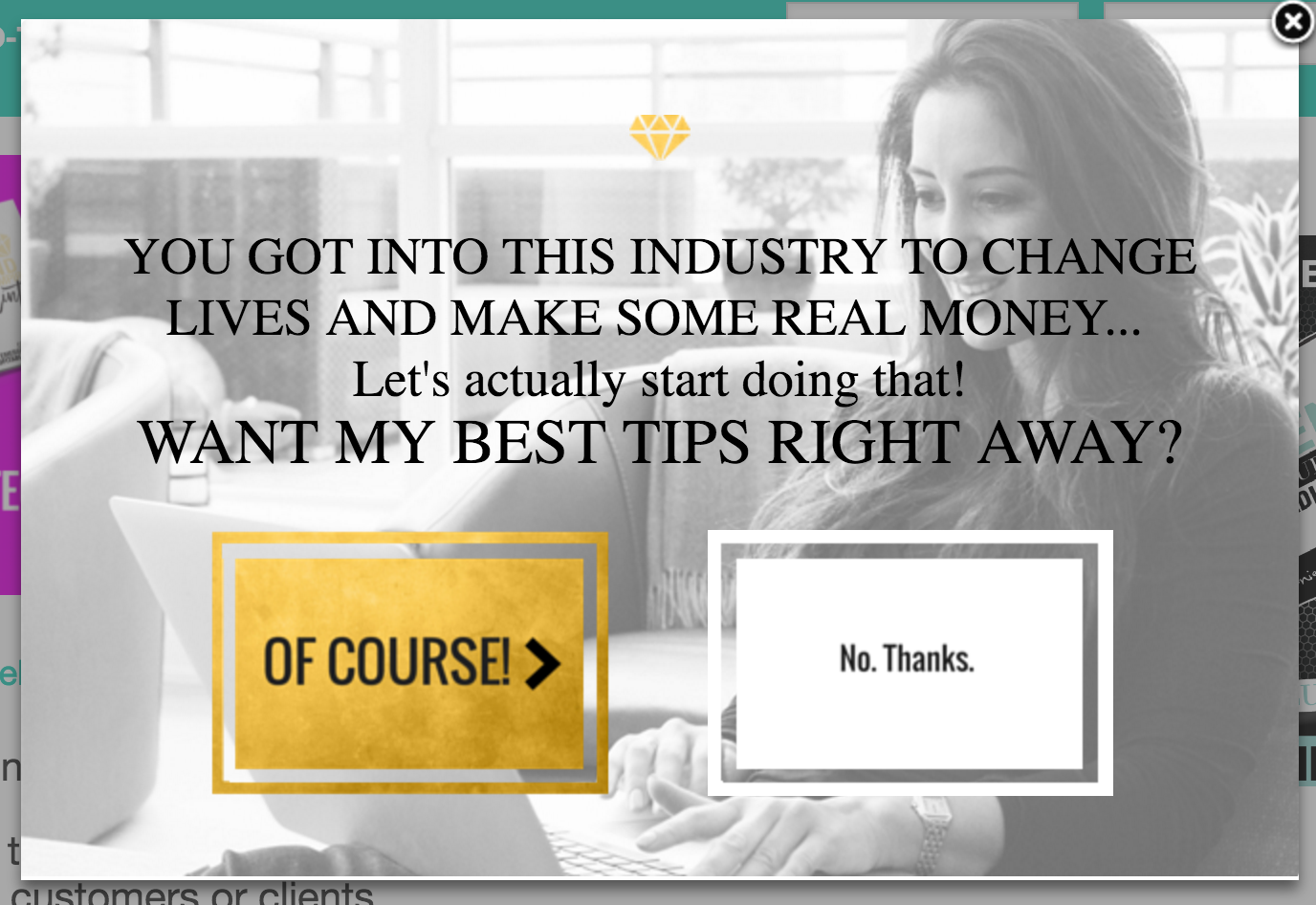
A welcome gate is a pop-up that appears before a visitor even sees the content of your blog, asking them if they want to sign up. You’re probably thinking, “but I hate those things!” Well, as much as you think you hate them, they are proven to work. And when done right, your readers won’t mind them a bit.
Your welcome gate should have a clear call to action and an even clearer way for the reader to exit and continue on to your content.
If you really want to go crazy, try an exit pop-up that asks people to sign up before they leave your site.
3. SPRINKLE OPT-INS LIKE GLITTER
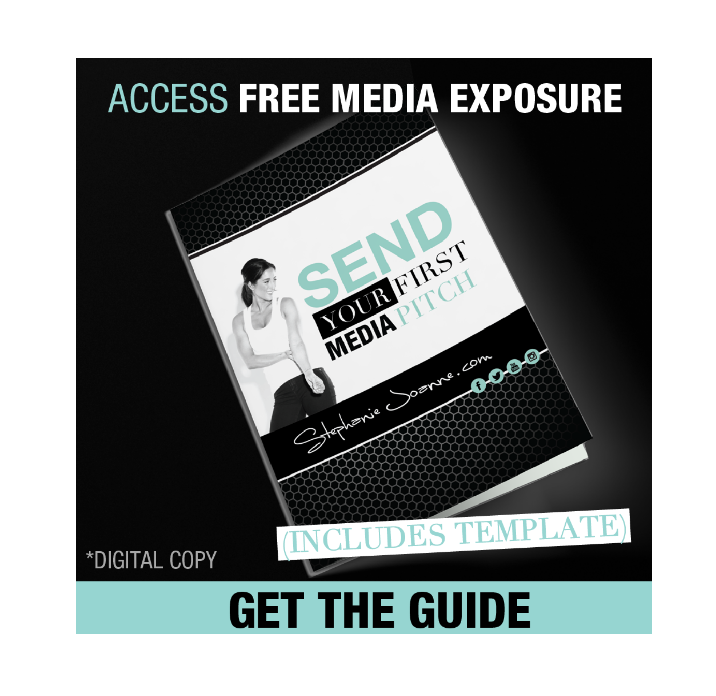
Opt-ins are the small boxes all over your site that give visitors an easy way to sign up for your email updates without leaving the page they are currently on.
I like to treat opt-ins the same way some people treat sugar on cheat days: sprinkle them everywhere, on everything.
Every page of the site should have an easy way for visitors to sign up. Feel free to sign up for my list at the bottom of this page
4. ENCOURAGE SHARING

Social sharing buttons are an effortless tool to amplify your content through visitors who have already read your content and see the value in it.
There are plenty of free or low-cost plugins that add social sharing buttons, like SumoMe and ShareThis. Just make sure you pick one that incorporates all of the popular social channels to give your content the best chance of being shared.
5. THROW IN A BONUS
Everybody loves free stuff, and they’re willing to share their information to get it.
The key is for you to find something you can give them with minimal effort and cost to you.
Creating an asset out of your most popular posts is a good way to start. You only have to put the effort into creating it once, and then you can distribute it on your website for months to come.
Look at the most popular posts on your website, and then see if they can easily be made into a downloadable or printable asset, like:
- A checklist
- A template
- A calendar
- An e-book
Reminder: Don’t gate your information so much that you require an email for almost everything on your site. Add value with blog posts that share helpful tips and tools. If your readers like the content you give away, they will jump to subscribe to your emails for an added asset.
6. BUTTON IT UP
If all the buttons on your opt-ins and downloadables say the same thing, it’s time to make some changes.
Instead of a standard message like “Submit” or “Sign Up,” add a bit of personalization. Try something that energizes and motivates the user, like “I’m In!” or “Let’s Go!”
This isn’t your grandpa’s mailing list, and you have to make that clear.
And there it is. These little steps can optimize your website to collect emails from the traffic you already have.
What has made the biggest difference when growing your email list?
GET MORE STEPHANIE JOANNE HERE:
]]>